The Atlas
Worlds & locations
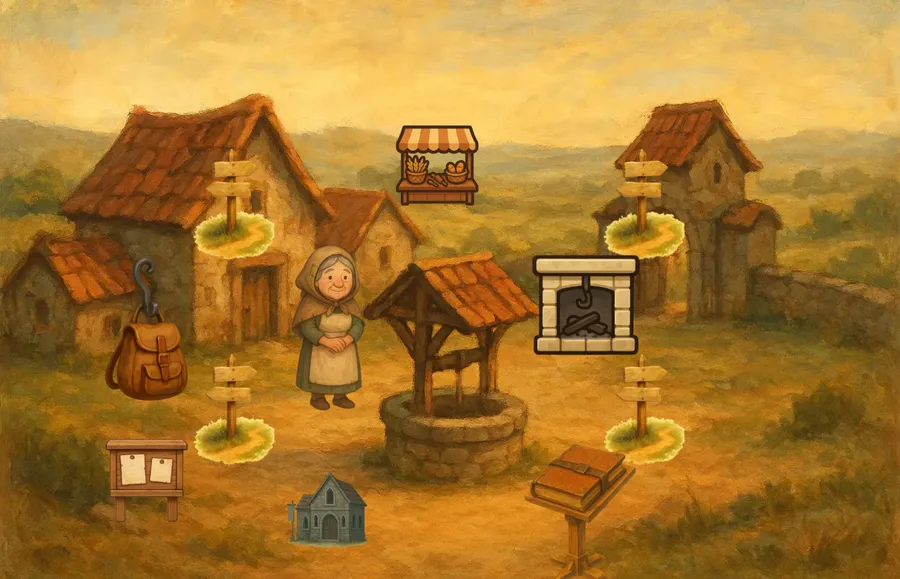
A world is a web of places. Here you draw the map your players will wander.
A game world is made of locations: a village square, a forest path, the inside of a shop. You link locations with paths so players can travel between them.
Each location has a scene, the picture players see, and you place components in it. Starting items decide what is already in a location, or in the player's hands, when a new game begins.
How it connects
The components you place come from the Forge. Story sequences from the Bard's Hall can play when players arrive somewhere.
Guides
- Add components to a scene Make a piece of scenery in Edit Mode, place it in a location, and have every new game start with it there.
- Give a place its starting items Drop a building into a place in Edit Mode, and leave an empty slot where a machine will later be built.
- Make a new location with scene art Make a new place in Edit Mode, draw its background with the assistant's picture maker, and find its pin on the map.
- Link two locations Put a signpost in one scene that leads to another place, then gate it behind a research if you want.
Ideas & systems
- How a world fits together The parts of a game world, a map, its pins, the places and their scenes, and the starting items, and how they connect.
- How a new game starts What the game builds, places and plays the moment a player starts a new game.
- Example sets Ready-made worked examples you can add to a game from the Add examples panel.
- Starting items How a game decides where each starting item goes: into a place, a backpack, a shop shelf or the whole game.
- Paths and travel How players move between places: signposts in scenes, each with a built-in destination, free or behind a rule.
- Placing things in a scene How items get a spot in a scene: by a position you give them, or by a placement zone that lays them out.
Reference
- Starting item One item, and how many of it, that a new game places into a location, a bag or a shop.
- Node types The three ways a map node can choose which location it shows.
- Starting item scopes The ways a starting item can be attached, and the modes the world admin editors work in. Still being forged
- What can be placed where Which kinds of component the builder lets you put in a scene, a shop or a character's bag.
- Location A place players can travel to, with its own scene, its own contents and, if you want, several levels.
- Path A signpost in a scene that takes the player to another location, for free or behind a rule.
- World map The painted board your locations sit on, and the map players open to see where they are.
- Map node One pin on the world map: it holds a location and says where on the map picture that place sits.
- Map style The sizes and colours of a map's pins, their labels and their links.
- Location story A story you attach to a place, so that it plays when the player arrives.
- The scene model How a scene is measured and drawn: one size for the whole game, positions in pixels, and a view that fits the screen's height.