The Bard's Hall
Story sequences
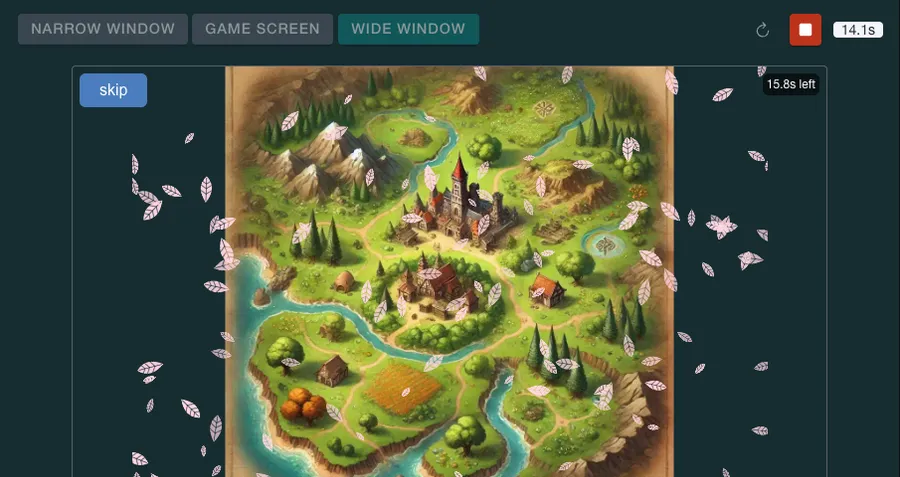
Every world needs its tales. Pull up a stool by the hearth, and let us make one.
A story sequence is a short cut-scene: an opening, a memory, a reward splash. You build one on a timeline out of layers, each with its own start and end time.
Layers can be images with animations such as fades, zooms and slides, text, and particle effects such as embers or falling snow. Audio tracks sit beside them for music and voice.
Start with Story sequences. Then try the guides: Make a one-line story, Fade in an image and zoom it and Add music and a voice.
How it connects
Story sequences are attached to components made in the Forge, and can play in places from the Atlas.
Guides
- Make a one-line story Ask the game's assistant to write a one-sentence story that plays once, when the player first gets a certain item.
- Fade in an image and zoom it Add a picture to a story, fade it in over four seconds and zoom it slowly for the rest of the story.
- Add music and a voice Make a spoken voice-over with the game's AI voice tool, add it to a story, and put a quiet music bed under it.
Layer types
- Image layers A picture on the stage, with a start and end time, a place, a size and a layer order.
- Text layers Words on the stage, typed out letter by letter, that can wait for the player to press Continue.
- Animation Move, fade, zoom or turn a layer over time by setting its values at chosen moments.
- Audio tracks Music, sound effects and voice-over that play on the story's clock, each with a start, an end and a volume.
- Particle layers Dust, snow, embers or a burst of sparks drawn over a story, with no picture file needed.