Reference
Starting item
Before any player arrives, the Ledger sets out the first stones. Each stone is a starting item.
What it is
A starting item says: "when a new game begins, put this component here, and this many of it." It is how a scene gets its first contents. A bench stands in the forge, a patch of wheat grows in the fields, a book waits in the player's bag.
Each starting item has a starting count: how many of the component to place. A count of 1 is the usual case for a bench. A count of 6 is six wheat in one patch.
Settings
| Setting | What it means | Example |
|---|---|---|
| Component and level | What is placed, and which level of it | Surviving Wheat, level 1 |
| Starting count | How many of it. A negative count shows as "Unlimited" in a shop | 6 |
| Where it goes | A place, a character's bag, or a shop | The Withered Fields |
| Position | Where it is drawn in the scene (x and y) | x 820, y 640 |
| Scale | How big it is drawn | Not set in this example |
| In shop | Whether it is for sale | No |
| Placement class | A tag that placement zones use to claim the item. Leave it blank to use the component's own tag | blank |
Setting it up
The Edit Mode steps below were walked once in Add components to a scene.
- Play your game and travel to the location where the item should start.
- Open the game menu and click Edit this Game.
- In the Add Components panel, find the component. Type its name in Search components… if the list is long.
- Drag the component onto the scene, where you want it.
- If the component has more than one level, a box asks which level you want. Choose one. Closing the box places nothing.
- If a Heads up box asks whether to continue, click Continue.
A new placement starts with a count of 1. A count of 0 leaves an empty slot; see Give a place its starting items. The place that holds it is a location. A placed item keeps the level you chose. To change the level, remove the item and drop it again.
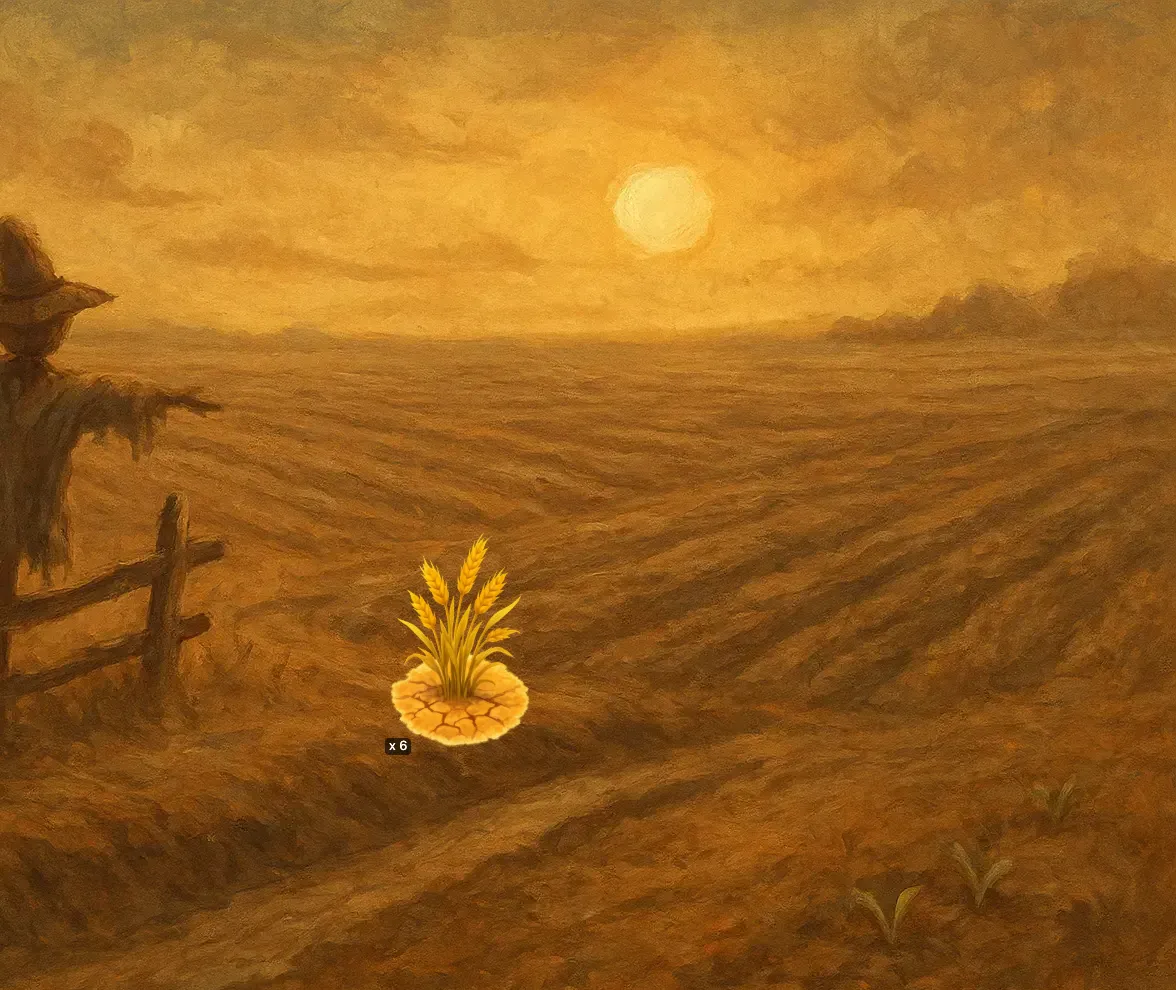
In Vespera: Surviving Wheat in the Fields Play it
The Withered Fields start with Surviving Wheat at a starting count of 6. The count shows as a badge on the patch, "x 6", in a new game.
Good to know
- A count of 0 with a position is an empty slot. The slot is kept for later. If a Harvest or Make things action gives its result "into this place", an item of that kind fills the slot and appears at that position.
- A Location does not need a starting item to be playable. A place works from its map node alone. A starting item adds contents to it.
- A Build Menu drop is not a starting item. Putting something into the Build Menu in Edit Mode does not place it in a new game.
- Items found during play have no starting item. They are made by actions in the running game.
Under the hood
- A starting item can sit inside another starting item. A character's bag, a place's standing contents and a shop's stock are all built this way.
- A starting item tied to one node ignores any parent it also names when a game starts. The parent is kept when the game is exported and imported.
- A starting item with no place, no parent and no shop flag is placed at the top level of the game, outside any location.
- Components picked in the world admin always use their first level. Edit Mode lets you pick the level.
- Archiving a component is blocked while any active starting item uses it. Remove the item from the world first.