Add music and a voice
A tale told in silence is only half told. Here is how the Ledger gives the Bard his voice.
The quest
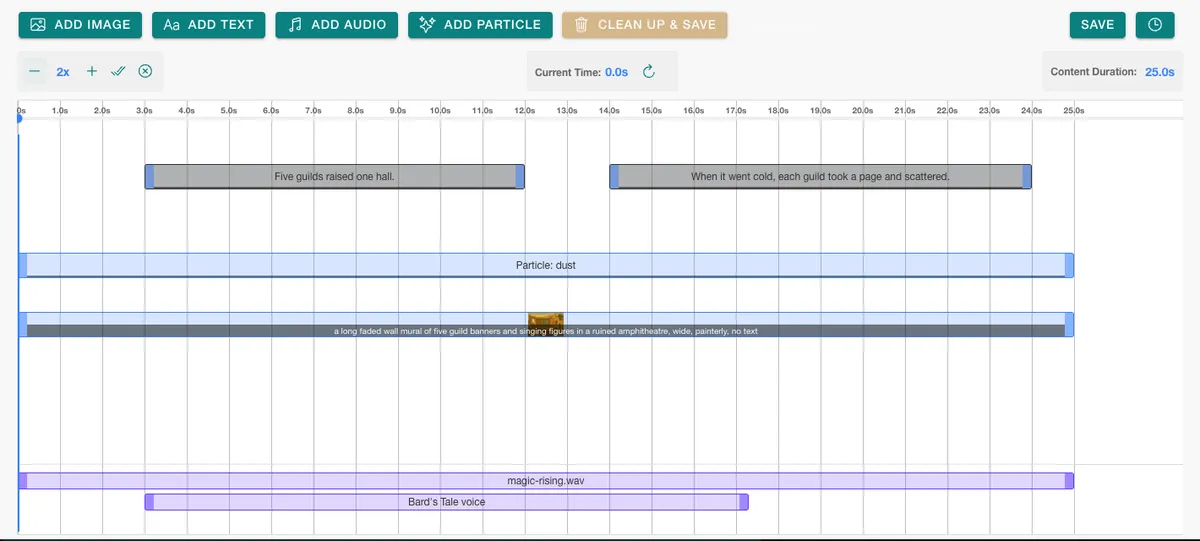
By the end, The Bard's Tale has two sound tracks. A quiet music bed plays for the whole 25 seconds, and a spoken voice, made in the game, runs from 3 to just past 17 seconds. This is how the Tale of Vespera is built.
You'll need
- A story with a timeline, here The Bard's Tale with its mural and two captions. See Story sequences.
- A sound for the music bed in the game's Media Library. Here that is magic-rising.wav.
- A few words for the voice to speak. The AI voice tool uses your game's generation allowance.
Steps
-
In the admin pages, click Story Sequences in the left bar, click the story's name, then click Edit Sequence Timeline. Here that is The Bard's Tale.
-
Click ADD AUDIO. The Media Library opens already set to Media Type Audio. At the foot are CLEAR MEDIA, GENERATE VOICE OVER and CONFIRM VOICE.
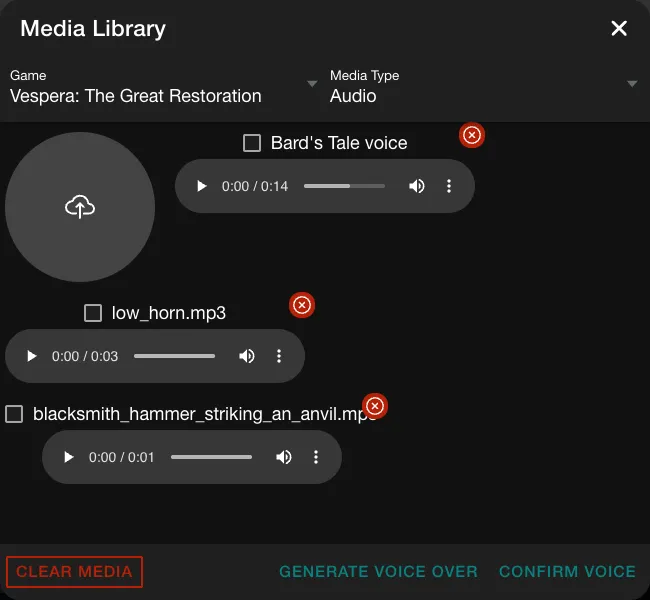
The Media Library on its audio list, after the voice was made. -
Click GENERATE VOICE OVER. A window titled AI Voice Tools opens.
-
Under Select a Voice, pick a voice. The list is alloy, ash, ballad, coral, echo, fable, nova, onyx, sage and shimmer. The Bard uses fable. Leave Override Instructions empty.
-
In Voice Over Text, type the words to speak, at least five characters. In Name, type a name, here "Bard's Tale voice".
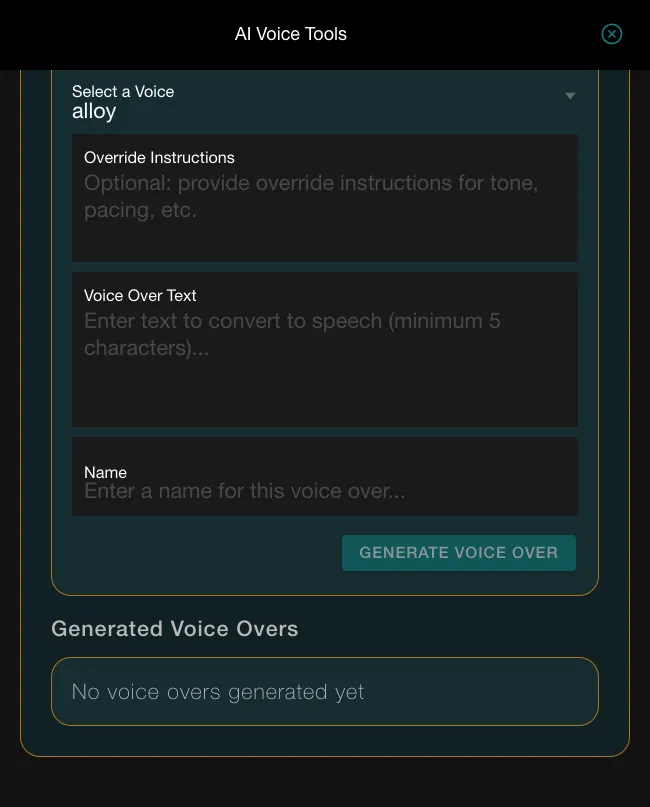
The AI Voice Tools form before any voice is made. -
Click GENERATE VOICE OVER once. The button reads GENERATING... and then returns. A row appears under Generated Voice Overs with a DRAFT badge, ADD TO LIBRARY and SHOW TEXT.
-
Click ADD TO LIBRARY. A draft voice cannot be picked in the story until you do.
-
Close AI Voice Tools. In the Media Library, tick the voice, then click CONFIRM VOICE. A new track appears at the foot of the timeline.
-
Click the track's bar. Set Start Time (ms) to 3000 and End Time (ms) to 17304, the length of the clip after the start. Leave Volume at 1 and set Fade In (ms) to 300.
-
Click ADD AUDIO again and tick the music in the Media Library. If the clip belongs to another of your games, switch the library's Game select to that game first: Vespera's magic-rising.wav is kept in another game's library. Click CONFIRM VOICE. Click its bar and set Start Time (ms) to 0 and End Time (ms) to 25000, Volume to 0.2 and Fade Out (ms) to 1500.
-
Click SAVE. No message appears.
Set the times on every track
A new track starts where the previous track ends, so set Start Time (ms) and End Time (ms) on every track you add. If the track you made is not in the list, it is still a draft: open GENERATE VOICE OVER again and press ADD TO LIBRARY.
Keep the music under the voice
Keep the music low. A bed at 0.2 lets the voice at 1 come through. A track that runs past the story's end is cut off, so match its end to the story's length, which the timeline shows as Content Duration.
Try it
Play the story in the game. In Vespera, tap the Mural in the Bards' Ruin the first time. Later, open the Journal on the Quest Board, pick the Story tab, choose The Bard's Tale and press Play. On a replay in the game, both sound files loaded: magic-rising.wav and the generated voice. The dust canvas was there too, and the mural slid sideways between 5 and 20 seconds.
Going further
- Try another voice. Make a second voice-over with a different choice under Select a Voice, and swap it in. See Audio tracks.
- Add dust. The Bard's Tale also has a particle layer. See Particle layers.
- Add a sound effect. Waystone Memory has a horn at 8 seconds. See Fade in an image and zoom it.