Layer types
Particle layers
Some things the Ledger cannot paint: the dust in a cold hall, the sparks when a hearth wakes. For those it keeps a particle layer.
What it is
A particle layer fills part of the story stage with many tiny moving specks: snow, rain, dust, embers or sparks. The game draws them as the story plays, so you add no picture file.
There are two kinds. An atmosphere is a steady field that fills the stage, such as drifting dust. A burst is a short salvo from one point, such as sparks.
What it can do
- Make an atmosphere: Snow, Rain, Dust, Fog, Embers, Fireflies, Sandstorm, Leaves or Beams.
- Make a burst, such as sparks, from a point on the stage.
- Set how many particles there are, how fast they move, which way and what colour.
- Show Particle: dust (or the effect's name) as its bar on the timeline, like any other layer.
- Fade, move or scale like any layer, with animation.
Adding one
- In the timeline editor, click ADD PARTICLE. A window titled "New particle effect" opens, with two tabs, Atmosphere and Burst.
- Click a preset. In the Atmosphere tab the presets are Snow, Rain, Dust, Fog, Embers, Fireflies, Sandstorm, Leaves and Beams.
- Change the sliders if you like: Particles, Speed, Direction, Speed random and Direction drift. A preview plays in the window. Particle color is a color picker.
- Click Save effect. The new layer lands at the top of the timeline, from 0 to the story's end.
- Click the layer's bar. On the Initial State tab, set Start Time (ms), End Time (ms) and Layer (Z-Index).
- Click SAVE. No message appears.
A new particle layer is above the pictures. Set Layer (Z-Index) lower if the effect should sit behind a caption.
Settings
| Field | What it means | Example |
|---|---|---|
| Effect or preset | The look of the particles | Dust |
| Particles | How many are alive at once (atmosphere), or in one salvo (burst) | 220 |
| Speed | How fast they move | 9 |
| Direction | Which way they travel | 285 |
| Particle color | Tints the built-in shapes | #ffe9c4 |
| Start and end time | The window in which the layer shows | 0 to 25000 ms |
In Vespera: The burst, the atmosphere and the petals Play it
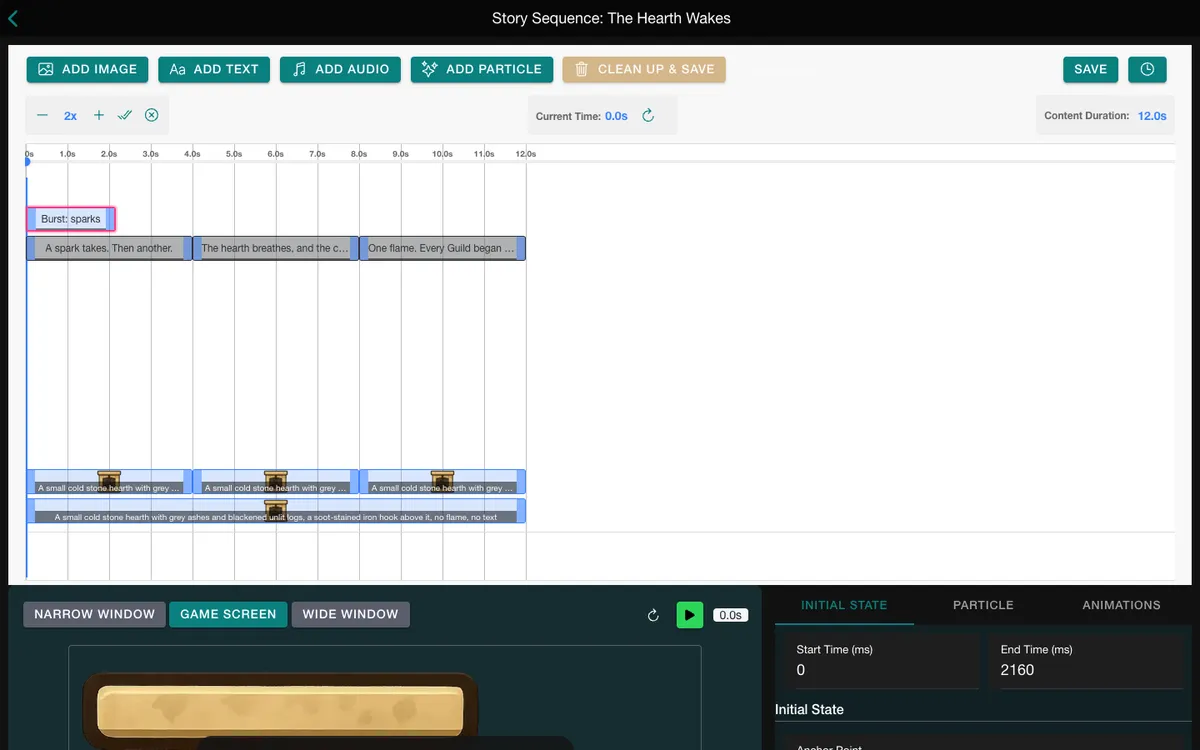
The burst. The Hearth Wakes plays when a player finishes First Light. Its particle layer is a burst: one salvo of 64 orange sparks, each living about half a second, from 0 to 2.2 seconds. On a new game, a particle canvas appeared within about 2.5 seconds of the story starting.
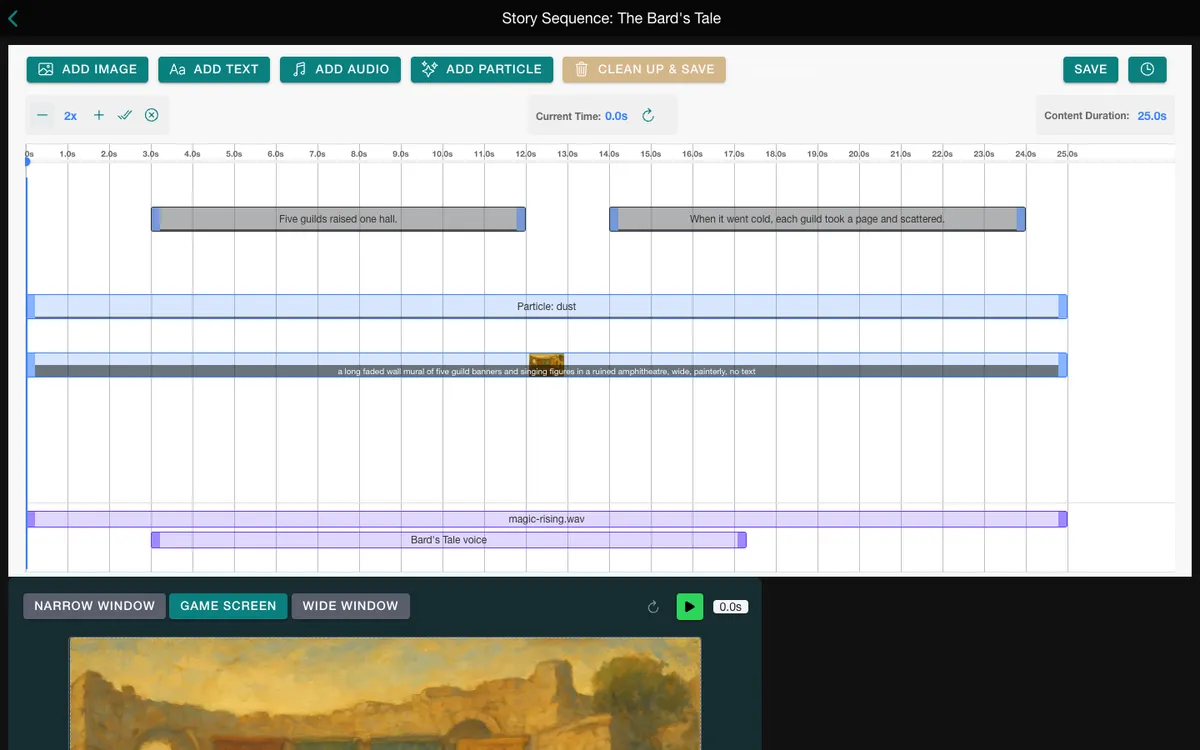
The atmosphere. The Bard's Tale has a Dust layer from 0 to 25 seconds, the story's whole length: 220 warm specks, speed 9, colour #ffe9c4, drifting over the painted mural. Replayed from the Journal, the story showed one particle canvas.
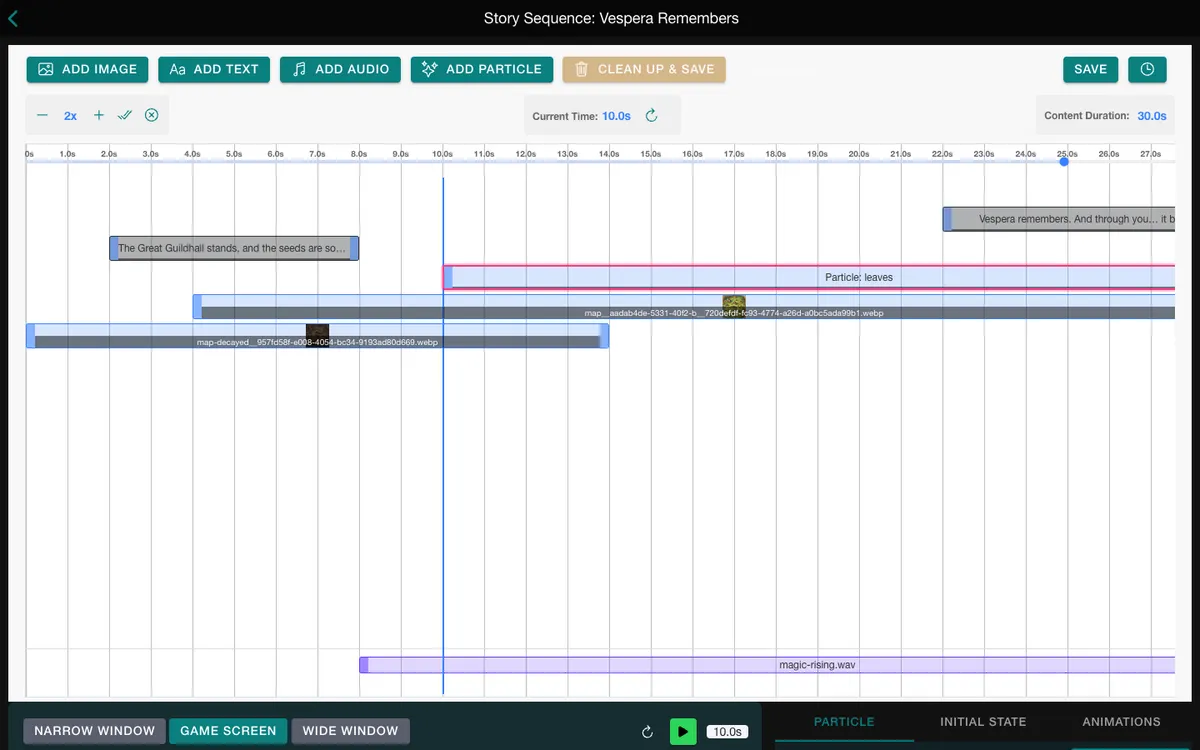
The celebration. Vespera Remembers plays after the Guildhall is raised. Its Leaves layer starts at 10 seconds and runs to 30, in pale pink, at speed 30. About 10 seconds after the story started, a particle canvas was there. It falls over the restored map while the music plays.
Good to know
- Span the whole story for an atmosphere. If the layer ends before the story does, the field starts again from an empty stage each time the story repeats.
- Keep a burst short. A burst fires when its layer appears. Give it a window of a second or two, a little longer than the particles live, or they are cut off in the air.
- A burst fires from the layer's position. To aim it, move the layer, not the effect window. Its width and height are ignored.
- No sound. Add a rain or wind sound as an audio track.
Under the hood
- A particle layer carries no picture, no words and no rewards. Put those on their own layers beside it.
- A particle layer cannot be tapped, so a full-stage effect never blocks the game under the story.
- Particles cannot be scrubbed. The timeline shows a dashed placeholder box, and pressing play runs the real effect.
- A story that is frozen, because a caption waits for Continue, freezes its particles too, and they carry on from the same frame.
- The game limits how many particles can be alive at once. A phone allows fewer than a desktop, so a busy field looks thinner there. Over the limit the count shrinks first.
- Reduced-motion settings on the player's device thin the particles further.
- A custom sprite keeps its own colours. The colour setting tints only the built-in shapes.