Action types
Upgrade
A bench that stays a bench is a poor ambition. Upgrade is how it grows into a forge.
What it is
Upgrade moves a component up to its next tier. The player pays a cost, and the same component becomes its next level, with new stats and new actions. Nothing it holds is lost.
What the player sees
The player selects the building or item and starts the Upgrade. The cost is taken. When the time is up, the component is its next tier and shows its new art and actions. An Upgrade can also need a Research the player has not studied. If a requirement is unmet, it does not start.
Which components can have it
A Structure or a Gear (see Structure and Gear). Edit Mode offers it on both.
Requirements & effects it uses
| Requirement / effect | What it does here |
|---|---|
| Needs (a cost) | The upgrade cost, taken from the player's bag. |
| Needs research | A Research the player must own first. |
| Gives | An extra reward, set under Also gives (step 6 below), on top of the next tier. It never replaces the next tier. |
| Changes the character's stat | A stat the player gains, such as XP. |
The next tier is given by the Upgrade itself. Do not add it as a reward. Skills can also be required, and the other effects are listed under the hood.
Setting it up
A component needs a next tier to upgrade to. One gesture makes the tier and the Upgrade together.
- Play your game, open the game menu and choose Edit this Game.
- Select the Structure to open its property window.
- Click Add action ▾ and choose Add an upgrade tier. It is offered on a Structure or Gear that has one tier and no Upgrade yet.
- Under Upgrade cost, add what the Upgrade costs.
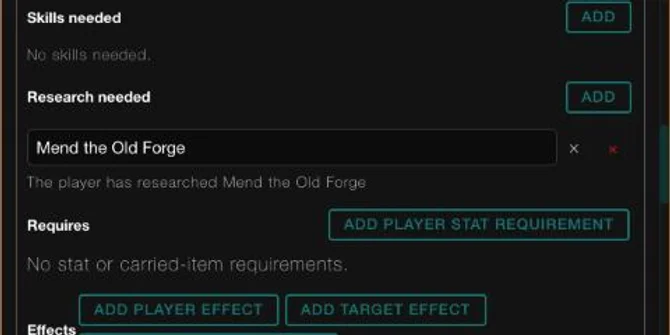
- To lock it behind a study, under Research needed click ADD and pick the Research.
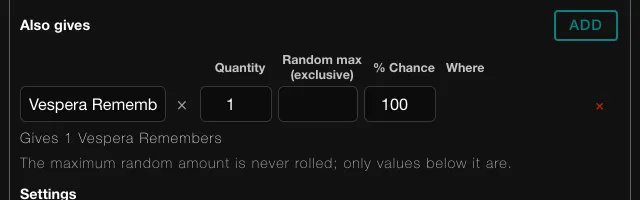
- To add an extra reward, look under Also gives. A new Upgrade reads "Nothing extra" there, because upgrading gives the next level. Click ADD, pick a component in Choose a component, and set Quantity, Random max (exclusive) and % Chance. The window reads it back, for example "Gives 1 Vespera Remembers".
- Click Save under the action, then CONTINUE in the Heads up dialog. A toast reads Saved "Raise". Do not press Done first: it only closes the window and drops an extra reward you have not saved.
For a third tier, use the window's level menu to add a level. On a level with a tier above it and no Upgrade, the menu offers Let players upgrade to Level 3.
In Vespera: the Tinker's Bench Play it
The Tinker's Bench has two tiers. Its tier-1 Upgrade runs for 20 seconds and costs 10 Iron Nails and 2 Timber, both used up from the player. It also needs the Research Mend the Old Forge.
The upgrade cost reads "Costs 10 Iron Nails" and "Costs 2 Timber". When the Upgrade is done, the Bench is its second tier, with its own Make nails and a Smelt ore action. The second tier keeps the name Tinker's Bench.
In Vespera: the Great Guildhall Play it
The Guildhall's third tier is the Hall of Wayfinders, at Level 3. Its popover reads "The cold hall of the Guilds. Raise it, and the Guilds may gather again." and shows Raise. The Upgrade takes 30 seconds, uses up 1 Guild Banner, 3 Hope, 10 Iron Nails, 2 Seed Packets and 4 Timber, and needs the Research The Founders' Plans.
Under Also gives it carries one extra, the story Vespera Remembers.
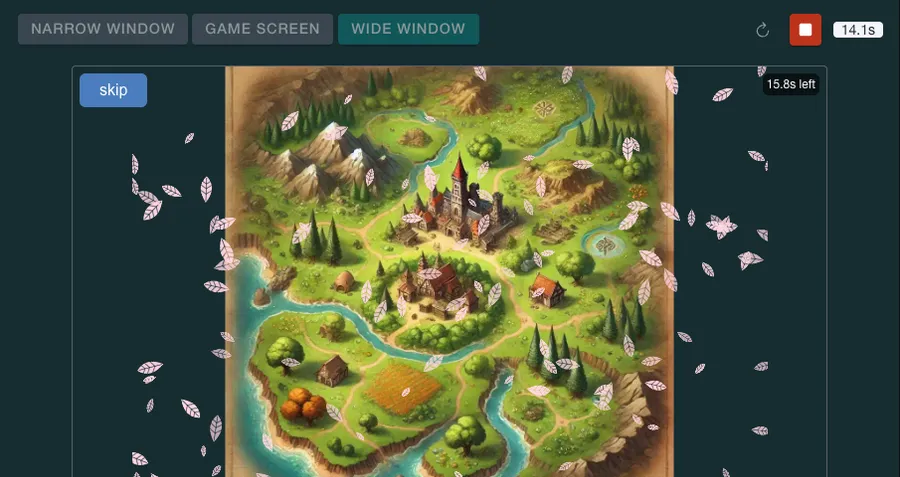
After 30 seconds the Guildhall became The Great Guildhall at Level 4, and the story played by itself about a second later. Its last caption reads "Vespera remembers. And through you… it begins to hope."
Good to know
- Cost from the bag. An Upgrade takes its cost from the player's bag. A cost written for the place cannot be paid from the backpack.
- The next tier must exist. An Upgrade on the top tier fails when used.
- Next tier, not a reward. An Upgrade never needs the next tier listed as a reward. Also gives is for extras only. See Worked examples and mistakes.
- A story is a fine extra. An extra reward that is a story plays when the Upgrade finishes. A Level Up! panel may open over it. Close the panel with its X to reach Continue.
- No random outcomes or bonus rewards here. Edit Mode does not offer them on an Upgrade.
- A used-up cost makes it manual. When a level-up Upgrade has a used-up cost, the player taps it themselves.
Under the hood
- An Upgrade on the top tier has nowhere to go and fails when a player uses it. The Edit Mode menu never offers it there.
- When a stat bar such as XP fills, the game can level a component up by itself. If its Upgrade costs something, the player must tap the Upgrade instead.
- An Upgrade can also move a place up a level, and the new level can bring its own starting items. That is a Location matter, and it is not set up in the property window.
- Another tier copies the first one's art, tags and other actions, but not an automatic start, a cooldown or the event it listens for.
- An Upgrade works in place: what the component holds stays with it.