Ideas & systems
Art for a component
A Maker's work is only half-seen until it has a face. The Ledger keeps two kinds of pictures: the small one that travels, and the large one that stays.
What it is
Every level of a component carries its own pictures. The icon is the small picture the game uses for the component in menus, in the scene, in shops, on the screen and in pickers. A place also has a full image, which is its scene background.
A place is a component too. Its icon is its map marker, the small picture on the world map. Its full image is the picture behind the scene.
How it works
- You choose or generate an icon. On the component's form in the admin pages, pick an image or use Regenerate Icon. In Edit Mode's property window you set the icon and a description for it.
- A place gets two pictures. In the place's admin page, Scene Background is the full image and Map Marker is the icon. Only places show a full image picker. Backgrounds are set in the admin pages or with a background command in Edit Mode.
- Higher levels borrow from lower ones. If a level has no icon, it uses the icon of the closest lower level that has one. Full image and audio are handled the same way, each on its own. A level's volume always comes from the level that supplied its audio.
- Names do not borrow that way. A level uses its own name and description if it has text. Otherwise it uses the component's.
- Generated art has a shape. A generated icon has a transparent background. A generated full image is opaque and sized to the game's screen shape: wide, tall or square. Keep the important detail in the central 80%.
In Vespera
In Vespera: the Tinker's Bench and the signposts Play it
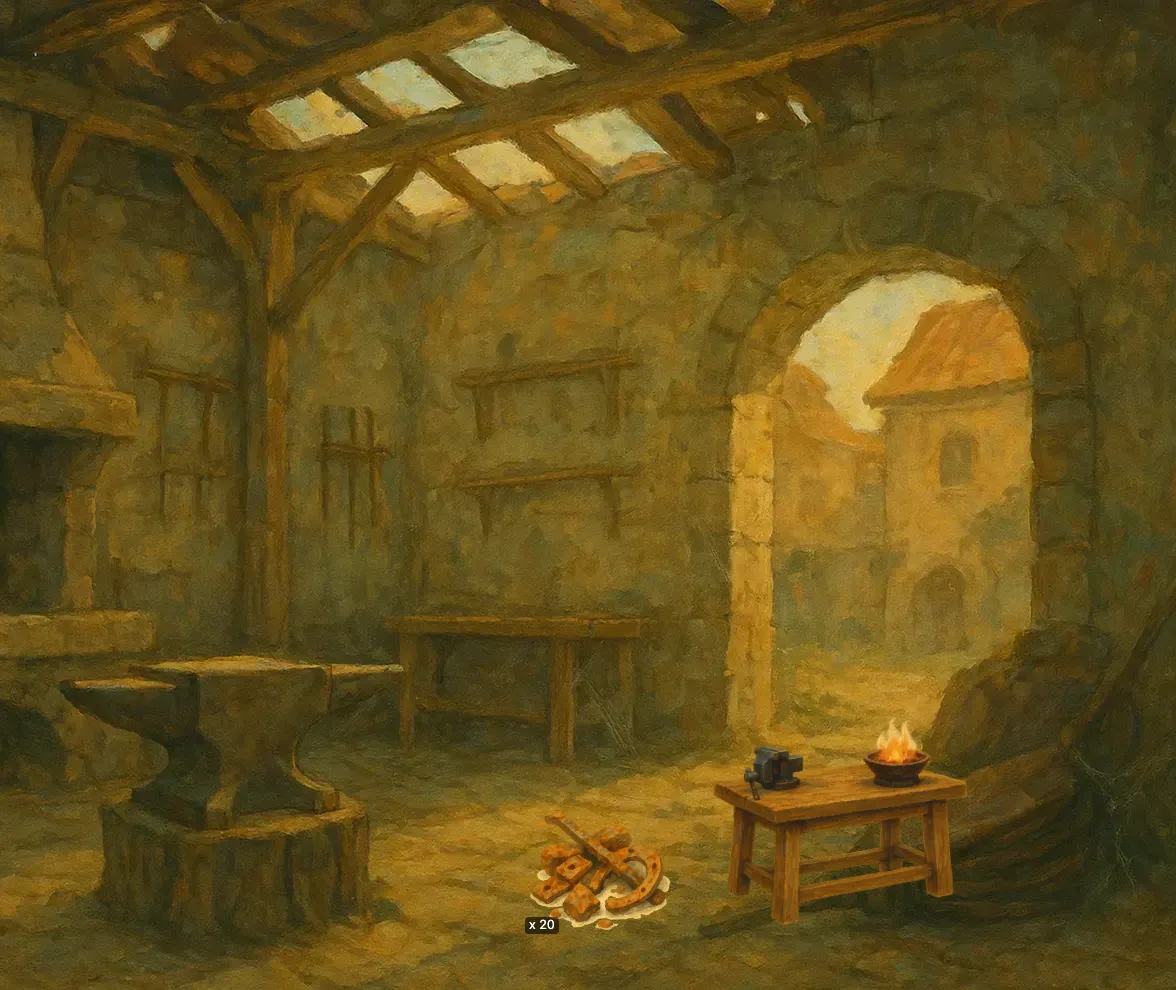
The Tinker's Bench has an icon, and the scene draws the bench from it. Each Vespera place has its own scene background. The four paths out of the Last Outpost each have signpost art, so they appear as signposts rather than as plain boxes with a name.
Good to know
- A background is not an icon. Put a place's scene background in its full image and its map marker in its icon. A place's icon is never its background.
- A different shape is cropped, not stretched. If a background does not match the screen shape, the scene shows it cropped and centred. Your placed items stay where they were.
- Old backgrounds stay as they are. Changing the game's screen size does not regenerate backgrounds that already exist.
- A style is not required. If your game has no art style, generation uses a sketchy placeholder style, so you can still generate.
- There is no thumbnail. Older games had one. The icon now does that job.
Under the hood
- A single map node can have its own marker picture. It does not follow later edits of the component's icon.
- The map's own board picture and a game's cover picture are separate pictures. Neither is component art.
- A story's subject picture uses the icon, never the full image.