Ideas & systems
Design cards
Before the first stone is laid, the plan is spread on the table. Each card is a page of that plan.
What it is
A design card is a planning note for your game. It has a title, a group and a body of plain writing. You write what you intend, such as the story, a character, how an economy should work or a rule your game keeps.
A card does not change the game. It sits above it. It records the idea and your assistant reads it, so that what you build and what you meant stay close.
Every card belongs to one of five groups.
| Group | Use it for |
|---|---|
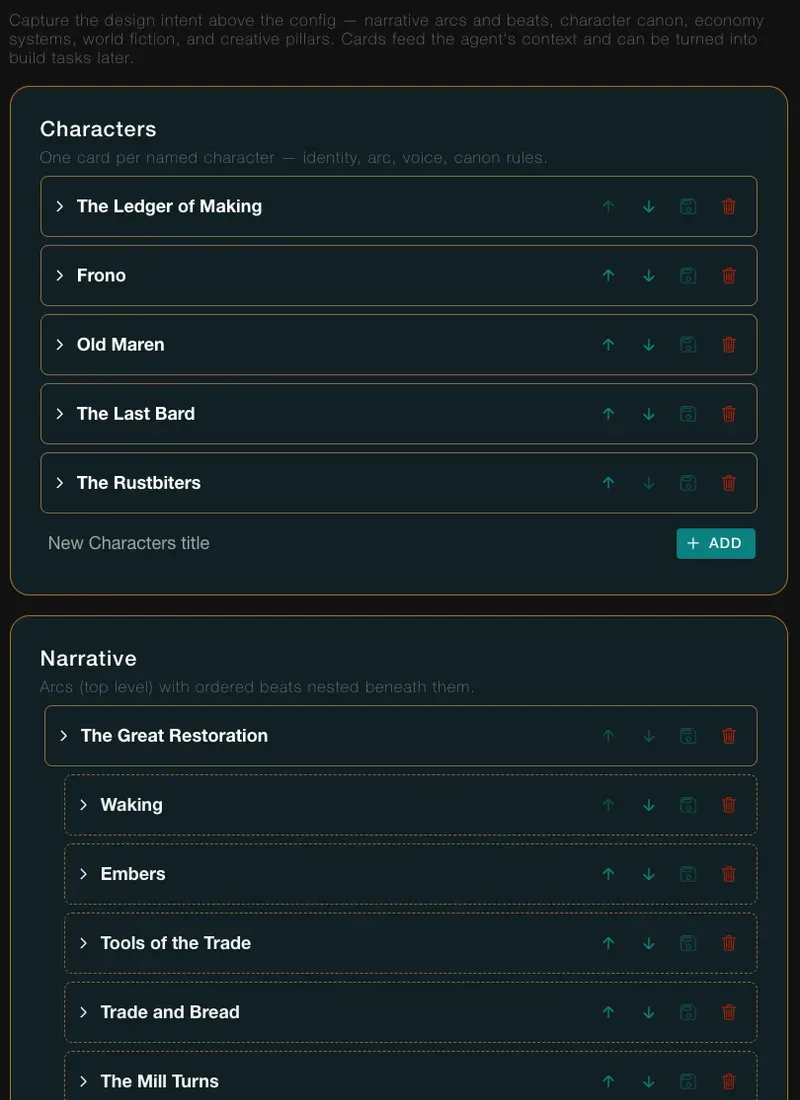
| Characters | One card per named character: who they are, how they speak, what is always true of them. |
| Narrative | A story arc, with its beats nested underneath in order. |
| Economy | One system per card, such as where wheat comes from and what spends it. |
| World | A place, a region or the setting's lore. Also which exit or hotspot is where in a scene. |
| Pillars | The rules of your game's tone and design that every other choice must respect. |
How it works
- Open the page. In the admin pages, click Design/Plan in the left bar. The page is called Design Cards, and its intro says the cards "feed the agent's context and can be turned into build tasks later".
- Find the group. The groups appear in this order: Characters, Narrative, Economy, World, Pillars. Each has a title box, such as New Economy title, and a + ADD button. A Narrative arc also has a New beat title box for its beats.
- Write a card. Type a title and press Enter, or click + ADD. The card opens at the end of its group. Type the body. It saves by itself a few seconds after you stop typing.
- Order the cards. Each card has up and down arrows, Move up and Move down. The order is kept within the group.
- Nest the beats. A story arc is a Narrative card. Its beats sit beneath it, in the order of the story.
- Let the assistant read them. Your cards feed the assistant's context. Ask it what is left to build, and its build plan turns a card into build tasks. Plan with design cards walks that.
- Archive, don't erase. Deleting a card archives it, and it drops out of the page.
In Vespera
In Vespera: Thirty-five cards Play it
At the end of the Step 8 build on 2026-11-20, Vespera had 35 cards: 5 Characters, 10 Narrative, 8 Economy, 7 World and 5 Pillars.
The Narrative group holds one arc, "The Great Restoration", with nine beats under it: a prologue and seven chapters, and the finale. The Pillars are short rules such as "Gentle stakes": nothing is lost for good. The World card "The five Guilds" names them all: the smiths, the growers, the wayfinders, the bards and the founders who drew the plans. The Economy card "Iron and nails" was written by hand, in the way the guide shows. It says that Scrap Iron at the Forge becomes Iron Nails at the Tinker's Bench, and that the Storeroom, the Mill, the Coffer and the Guildhall all spend nails.
Good to know
- A card holds words, not links. Write which component you mean by its name. Do not expect the card to follow a rename.
- A card does not build anything. It records the plan. Reading the plan against the world is your job, and Plan with design cards shows why.
- Keep Pillars short. They go into every conversation with the assistant.
Under the hood
- A card holds prose only. It does not link to components. Where a build task comes from a card, the task remembers which card it came from.
- Pillars are always in the assistant's context. Every other card is found when its words match a question.
- A card's title is up to 100 characters. The order of cards is kept within a group, and within one arc.
- Deleting an arc archives the arc only. Its beats stay in the game's data and stop showing.
- The assistant can read cards and propose changes to them, but it cannot delete one. Deleting is for the dashboard only.