Make a recipe and craft with it
Every loaf in the Guild began as a few lines in someone's hand. Here is how to write one down so that anyone who holds it can bake.
The quest
By the end, the player can craft a Hearth Loaf from a Recipe called Recipe: Hearth Loaf. A craft takes 3 Wheat Sheaf, uses them up, takes 1 second, makes 1 loaf and gives the player 5 XP. In Vespera, the player buys this Recipe at Maren's Stall.
You'll need
- A game you can edit.
- The component the Recipe makes, and the ingredient. Here: Material for the Hearth Loaf and for the Wheat Sheaf.
Steps
-
Play your game, open the game menu and click Edit this Game.
-
In the Add Components panel, click + Create Component, then choose Recipe.
-
In the form New Recipe, type a Name, for example "Recipe: Hearth Loaf", and a Description Shown Player.
-
In What it crafts, type "Hearth" and pick Hearth Loaf. Set How many it makes to 1 and Time to craft (seconds) to 1.
-
Under Ingredients, one empty row is already there. In Choose a component, pick Wheat Sheaf and set Quantity to 3. Leave Used up ticked, so that crafting takes the sheaves away. If you click ADD and get a second empty row, remove it with its red ×.
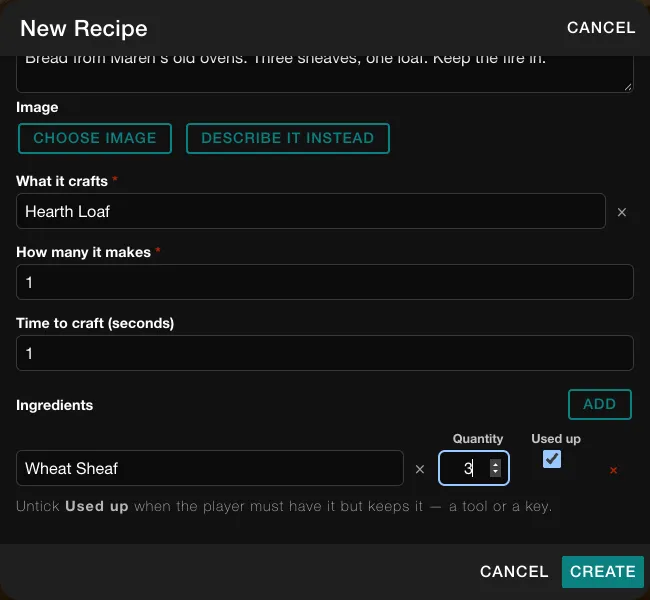
The filled New Recipe form. -
Click CREATE. The Recipe is saved at once, with no Heads up box, after a short "Saving..." message. It already has a Craft action.
-
In Add Components, type the Recipe's name in the search box and click the pencil on its tile. The property window opens. Under the Craft action, the Ingredients row now has a Needs word. It reads "at least" and is the right choice here. Under it you can also choose where the ingredient comes from: the player's bag or this place.
-
Under Effects, click ADD PLAYER EFFECT. Click Pick a stat or capability. and choose XP. Choose ADD, type 5 and press Tab. The sentence now reads "The character running this action has XP increased by 5."
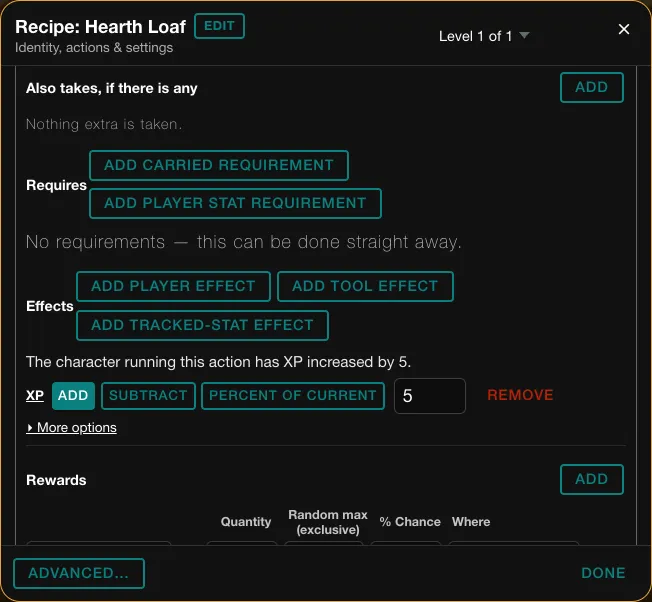
The XP effect, once the amount is committed with Tab. -
Scroll to the bottom of the Craft card and click Save.
-
In the Heads up box, click CONTINUE. A message confirms that the Craft was saved.
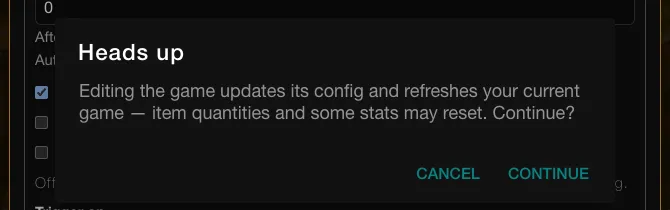
Good to know
The search box in Add Components keeps the text you last typed. Clear it before you search again. If the stat picker's search box does not take your typing, click the stat in the list instead. An effect amount counts only once you press Tab or click away.
Good to know
The create form offers no comparison for an ingredient. The Needs word shows only in the property window, and it starts at "at least".
Try it
Start a fresh game. A player must hold the Recipe and 3 Wheat Sheaf, then open the game's crafting panel and press Craft beside the Recipe. In Vespera the player buys the Recipe at Maren's Stall first. A craft took 3 Wheat Sheaf and gave a Hearth Loaf and 5 XP. See Craft.
Going further
- Keep an ingredient. Untick Used up on a row for a tool the player must hold but keeps. See Recipe.
- Sell the Recipe. Stock it in a shop. See Make a shop.
- Change the word. Set an ingredient to "at most" or "exactly" in the property window. See Comparisons.