Action types
Play story
Some places only speak when they are asked. Play story is the question, and the story is the answer.
What it is
Play story makes a component tell a story when the player taps it. Usually the action gives the player a Story, and being given the story is what plays it. It can also give a quest, an item or a marker at the same time.
The words and pictures live in the Story, not in the action.
What the player sees
The player taps the character or the thing. A popover opens with its description and a button named for the action, such as Listen or Welcome. The player presses the button and the story plays over the game. If the story has captions, each one waits for Continue.
If the player does not meet the requirements, the button is not shown. It is not greyed out. When the story has finished, a quest that it gave shows as a toast. Tapping the character again shows only the description if the action asks for a once-only story.
Which components can have it
An NPC or an Interactable. Edit Mode offers Let this play a story on both, and on nothing else. A Character or a Story can also carry one, but Edit Mode does not offer it there. A story that plays when the player arrives at a place is attached to the place instead: see Location story.
Requirements & effects it uses
| Requirement / effect | What it does here |
|---|---|
| Gives | The story to play, and a marker, a quest or an item that goes with it. |
| Needs (a cost) | A marker the player must hold, or must not hold yet. |
| Needs a stat | A player stat, such as Reputation, that opens a dialogue. |
| Needs a tool | An item the player must carry. |
| Needs a skill | A skill the player must have. |
| Changes the character's stat | A stat the player gains, such as XP. |
Other effects exist and are listed in the property window.
Setting it up
- Play your game, open the game menu and choose Edit this Game.
- Select the NPC or the Interactable and open its property window.
- Click Add action ▾ and choose Let this play a story.
- In the story picker, choose a story. To make a new one, type a name and use Create story. Edit story opens it in a new tab.
- To make the story play once, add a marker as a reward, and add a requirement that the player holds at most 0 of that marker, not used up, from the player's bag.
- Save the window.
The picker lists stories only. A new story made there is empty, and you write it in the editor.
In Vespera: the Last Bard Play it
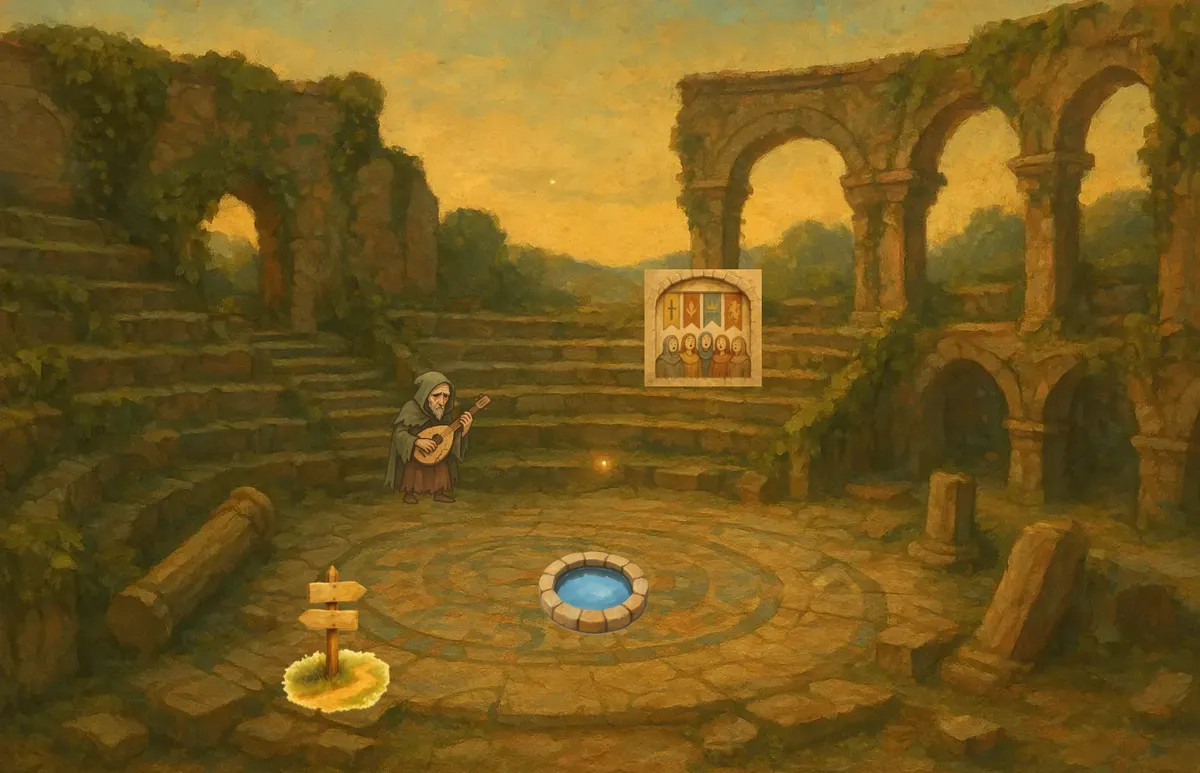
The Last Bard sits on the steps of the Bards' Ruin. His popover reads "A gaunt old bard in a faded cloak, a cracked lute across his knees. He remembers only the beginnings of songs." and shows one button, Listen.
Listen is a Play story. It asks that the player does not hold the marker Bard Song Heard, and it gives two things: the story A Song Half-Remembered and that marker. The story plays two captions, each with Continue. The first is "Five guilds… we sang them home, once…". When it ends, a toast reads "You have received a new quest" and "Guild of Bards".
The player now holds the marker. The Bard's popover shows his description and no Listen, even on a second tap.
Old Maren does the same with Welcome. In a new game her first tap offers Welcome, which plays three captions and hands over the Guild quest. A second tap shows no button.
Good to know
- Hidden, not greyed. A Play story the player cannot run is not shown. An Open with the same gate is shown and then refused with an alert. The Bard's Mural keeps offering Study the mural after it has been used, and the game answers "Must not have The Bard's Tale".
- Once means a marker. Give the player a marker, and ask that they do not hold it yet. Do not ask for the real reward, because a player can lose or trade that.
- Two stories in turn. Ask the first for "does not hold the marker" and the second for "holds the marker". One button shows at a time.
- Gate on markers, not tools. A tool a player can pick up out of order can make every button vanish at once.
- Replays are free. The Journal's Story tab has a Play button for each story the player has seen. It only shows the story again.
Under the hood
- The action does not hold the words. It gives the player a story, and being given the story is what plays it. The story owns the pictures, the captions and the sound.
- A Play story can also run when the player arrives at a place. If its requirements are not met, it is skipped without a word and the journey goes on. That makes it safe to gate an arrival story on a marker.
- A requirement is met if any item the player holds satisfies it. A later item with the same tag does not cancel an earlier match.
- The button reads Play when the action has no name or still has its default name. An action with a name of its own shows that name.
- A Play story the player can run has no info button. The button is fully rounded.
- Edit Mode offers these settings on it: Hide this action from players, Quick action, Trigger on (not on a place), a volume when it has a sound, and Remove this action. It has no duration, no cooldown and no Auto Award.
- A replay from the Journal never runs the action again, so its requirements and effects happen once, on the first play. If the server refuses the first run, the story is thought to play anyway, and only the rewards and effects are blocked.