Create a quest
A Maker's first promise is a small one. Here is how to write it into the Ledger so that a player can keep it.
The quest
By the end, the Guild of Smiths & Growers stands in your scene as a quest the player can pick up. It asks for 3 Wheat Sheaf and 6 Iron Nails, uses them up, and pays 10 Vesper Marks. It is the first stage of the quest chain in Vespera, called First Light. In the finished Vespera, Old Maren hands the quest over in a short story instead of leaving it in the scene (see Going further).
You'll need
- A game you can edit.
- A reward and the things the quest asks for, as components. Here: Currency for the reward (Vesper Marks) and Material for the things handed in (Wheat Sheaf, Iron Nails). If one is missing, you can make it from inside the form (see step 6).
Steps
-
Play your game, open the game menu and click Edit this Game.
-
In the Add Components panel, click + Create Component.
-
In Create Component, scroll down and choose Quest. Its description reads "A quest the player can pick up but not drop."
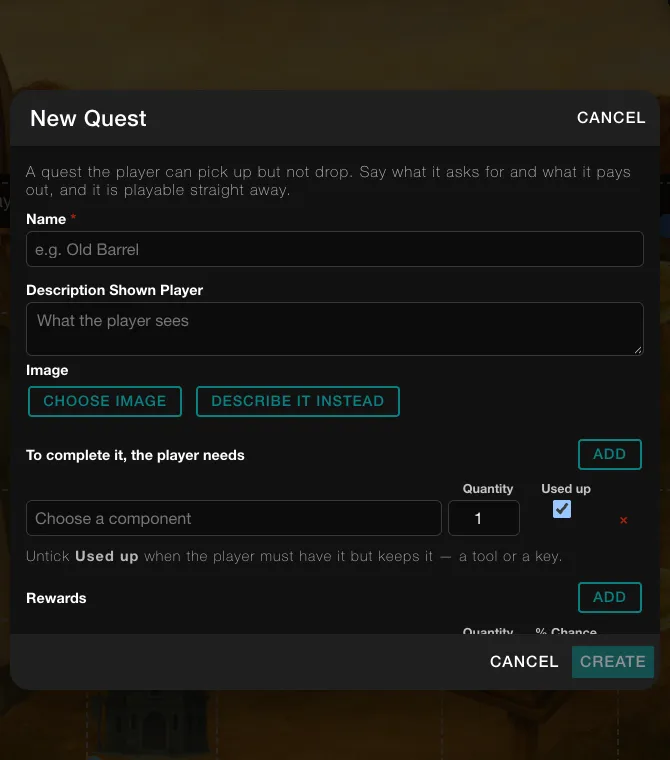
The empty New Quest form. -
In the form New Quest, type a Name, for example "Guild of Smiths & Growers".
-
Type a Description Shown Player, a sentence the player will read.
-
Under To complete it, the player needs, click Add. In the field "Choose a component", type a name such as "Wheat" and pick Wheat Sheaf from the list. Set Quantity to 3.
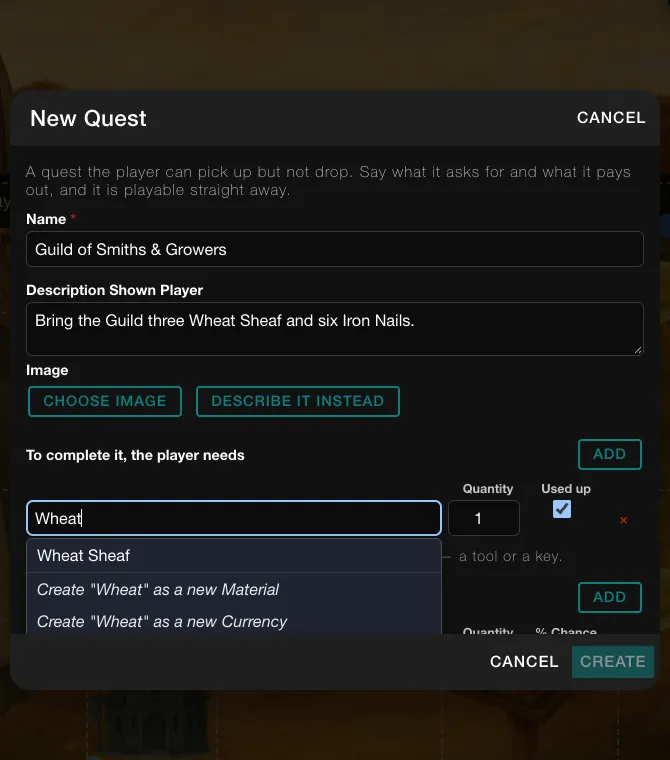
Typing in the component field lists matching components. The last entries make a new one instead. -
Click Add again for a second row. Type "Iron", pick Iron Nails and set Quantity to 6.
-
Leave Used up ticked, so that handing the items in takes them away. Untick it if the player only has to hold the item, like a tool or a key.
-
Under Rewards, click Add. Type "Vesper", pick Vesper Marks, set Quantity to 10 and % Chance to 100. If a spare empty row appears, remove it with its red ×.
-
Click Create. The button works once the quest has a Name and one reward. A "Saving..." message shows for a few seconds. The quest is playable at once.
-
In Add Components, type the quest's name in Search components…. Drag it onto open ground in the scene.
-
In the Heads up box, click Continue.
Heads up
The Heads up box says that editing the game updates its config and refreshes your current game, so item quantities and some stats may reset. Cancel leaves the quest unplaced. Continue places it.
Good to know
A quest cannot go in the backpack. If you drag it onto the Starting Backpack panel, Edit Mode says "Quest can't go in the backpack or a container." Place it in the scene, or have a story or a character hand it over.
Try it
Start a fresh game and go to the place where you put the quest. Pick it up. The Complete button is grey until the player carries the quantities you set, and tapping it then shows "Requirements Not Met". With everything in the bag, tapping it takes the items you left Used up and pays the reward. Wheat and nails made by actions land in the place first, so the player has to pick them up before turning in. See Complete.
Going further
- Add a next stage. A quest can have more levels, one for each stage. See Quest.
- Give the quest XP. The New Quest form has no place for stat changes. Create the quest first, then open its property window and use Effects: click Add player effect and pick the stat.
- Reward a Token. A Token such as Hope can be picked in Rewards the same way as Vesper Marks.
- Ask only for a held item. Untick Used up on a row for something the player must have but keeps.
- Have a character hand it over. An NPC can offer a quest after a story. See NPC.